>/posts/MW302R - Security Research - My first CVE $
Estimated reading time: 12 minutes
Router research
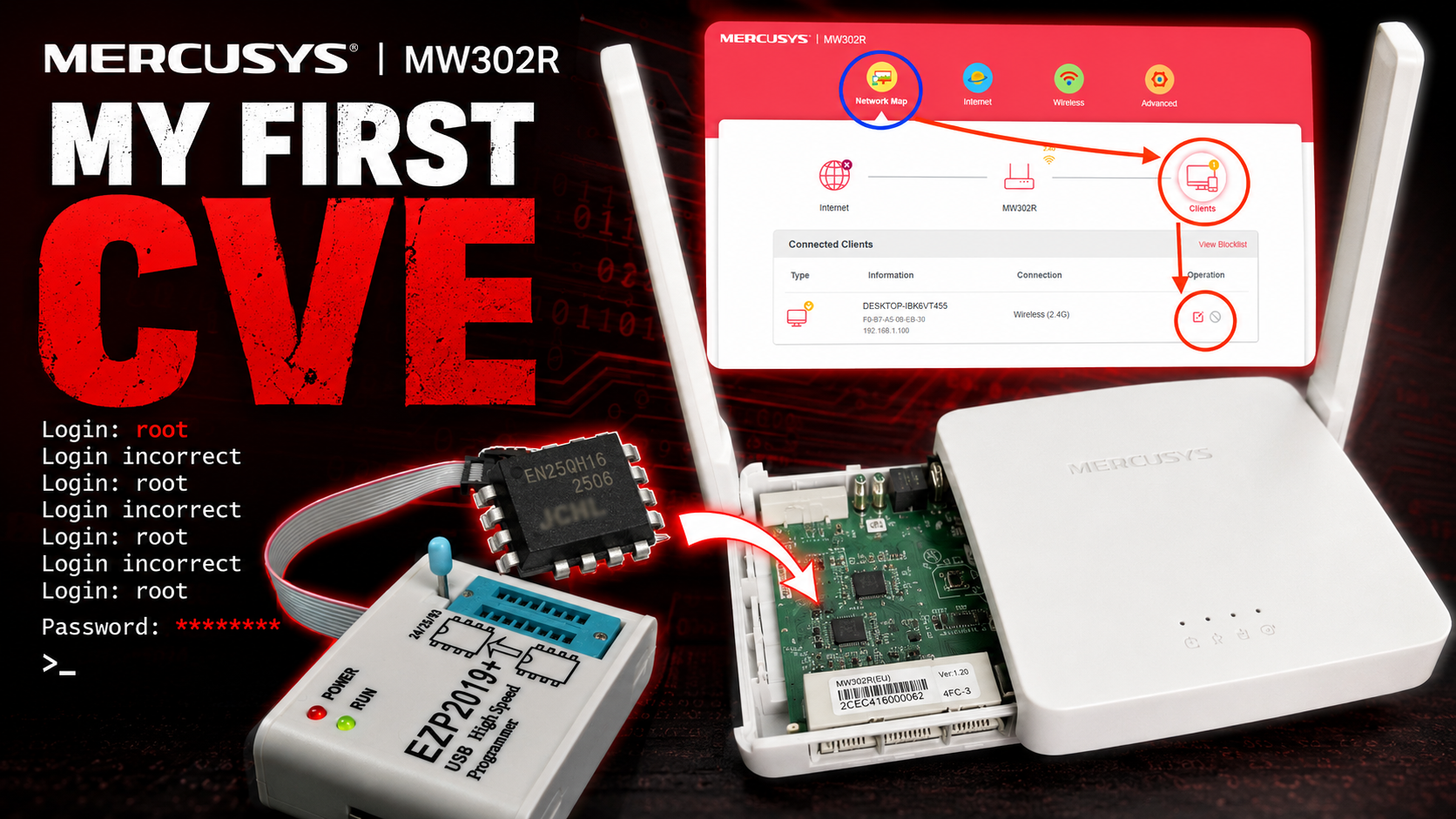
Apart from participating in CTFs, in the meantime I wanted to practise my other hands-on skills and try to work on some real devices. In order to do that I visited a local electronics store and bought the cheapest device I could find. In this case it was router MW302R shown in the picture below.
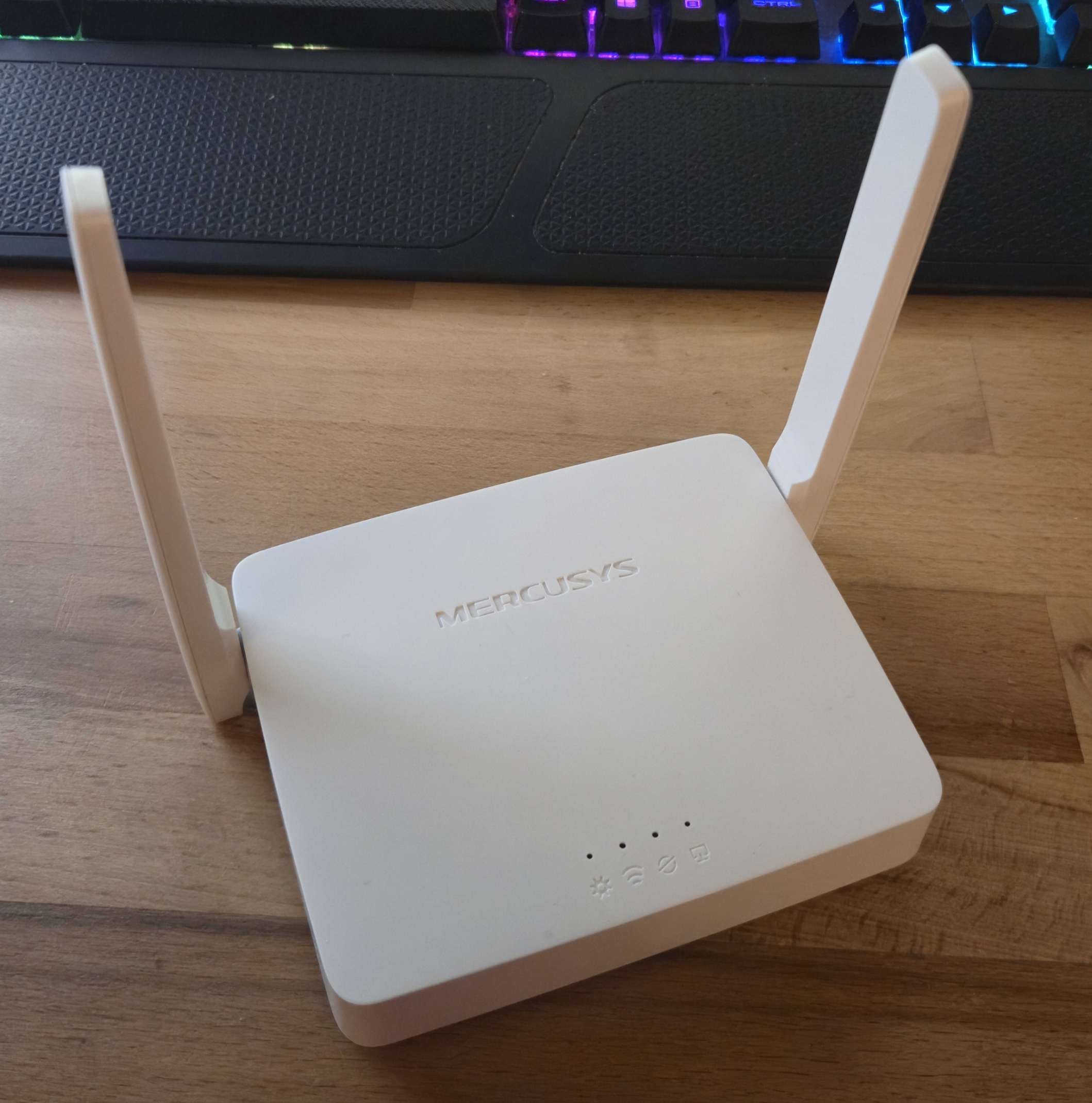
Inside the router
Once I came across all the initial setup I started poking around inside the admin panel. I tested the Internet connection and tried to play with the internal administrator panel and its settings using Burp. I didn't find anything interesting there, except for one thing. Most of the settings were sent to the router in a specified form as follows:
http://192.168.1.1/?code=1&asyn=0&id=ABC

In Body:
id 33|1,2,0
uUnit 1
cSsidPrefix Guest
uRadiusIp 0.0.0.0
(...)
The above request was used to turn on Guest WLAN
Where the code parameter could be 0/1/2 depends on whether it was a reading or writing operation, and the requested appears ID in the body. The async param was simply 0/1 and I can guess it informs whether this request could be executed asynchronously. The last parameter, ID, was the user's encrypted session token and it changed each time you logged in. And if you pay enough attention to it, there are two separate ID parameters. One in the body and one as a parameter in the URL. This is kind of weird but it tells us that most probably the body has a custom parser for its RCP (Remote Control Protocol). That's good information as it lets us know that we will most probably be dealing with some custom software.
Open the gate
As I didn't find anything special except for this custom RCP, which seemed fine - each setting change operation required authorization and wasn't possible to perform without logging in. In this case I decided to move on, open the case, and see what's inside:
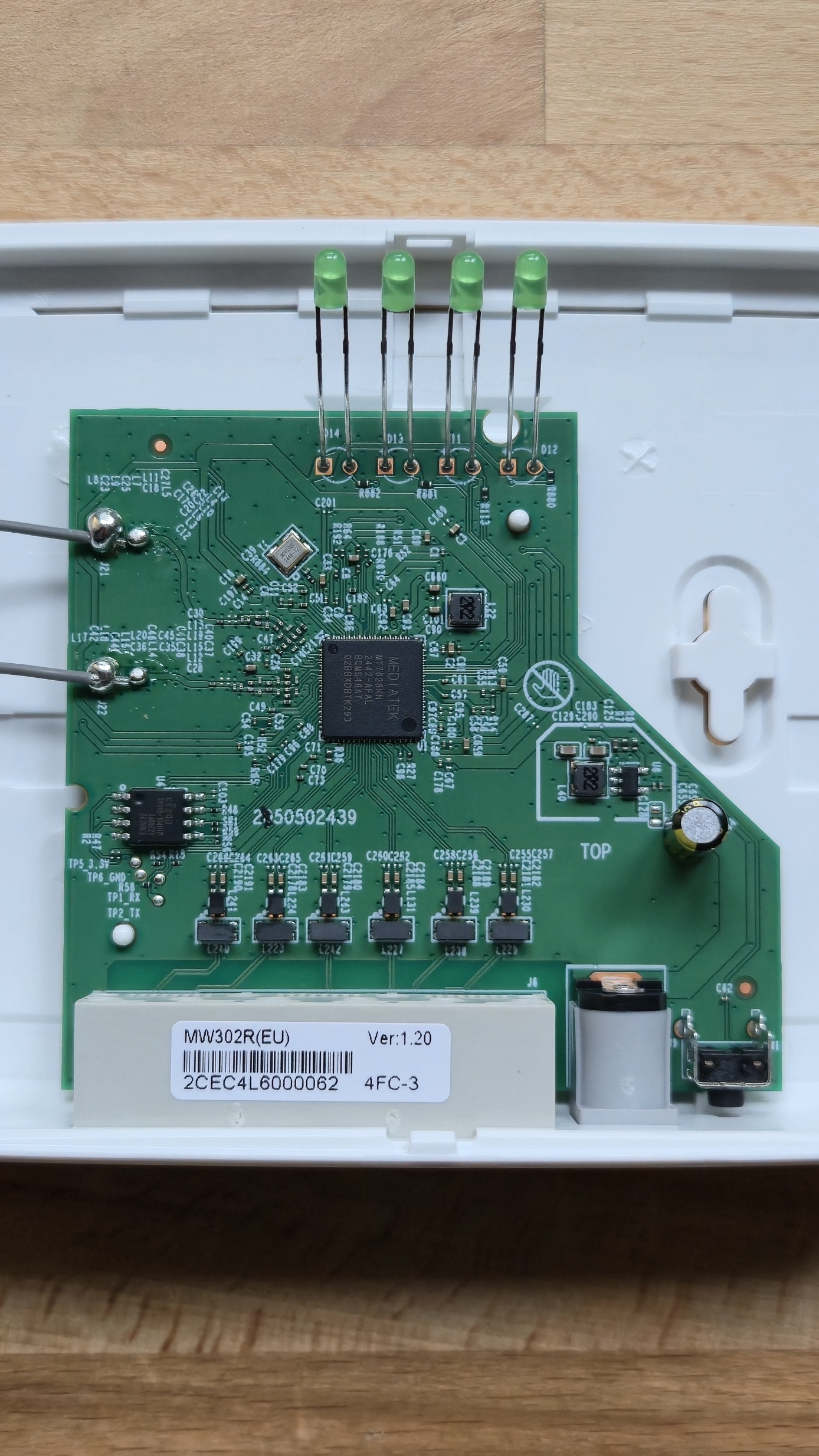
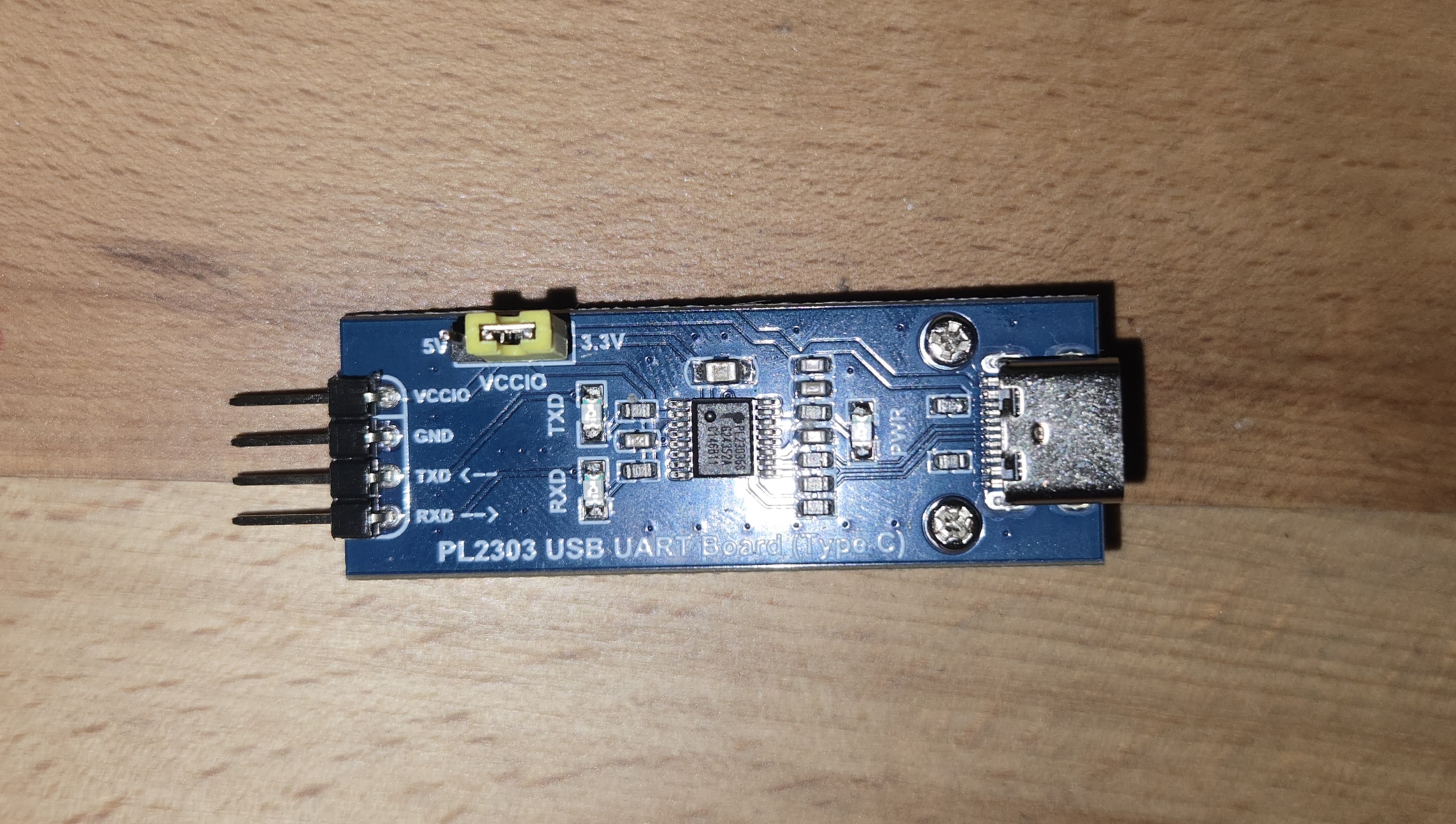
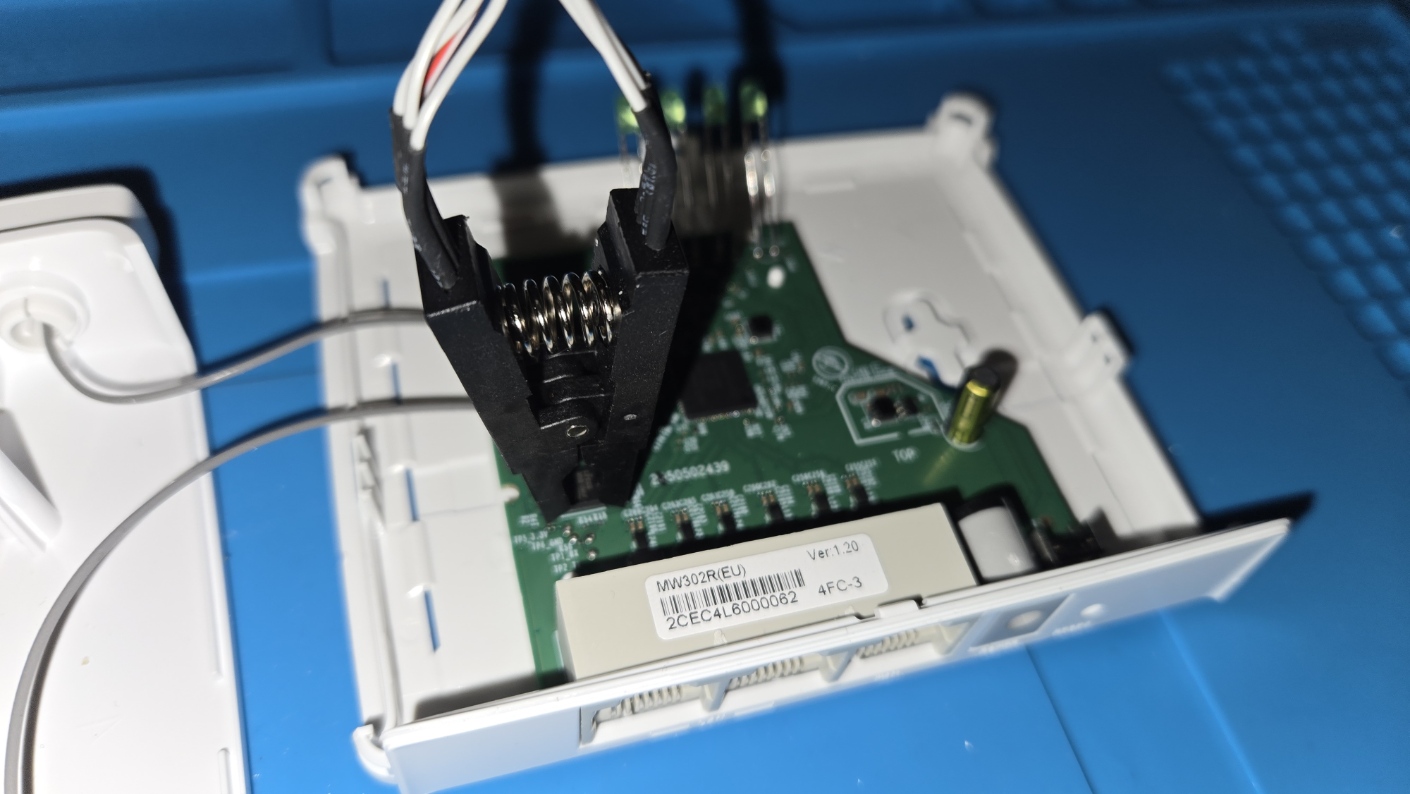
Most of the interesting parts were described in the picture above and the things that interested me the most are the little memory IC and pads labeled as RX and TX, which suggests a UART port, but there was no connector and I had to solder my own wires to it - it's always good to practice your soldering skills in real scenarios. Also, since this router is powered with 5V and has relatively low power consumption, I did the same with the supply pads and now I can power and connect to it with only one USB cable using a PL2303 USB -> UART converter.
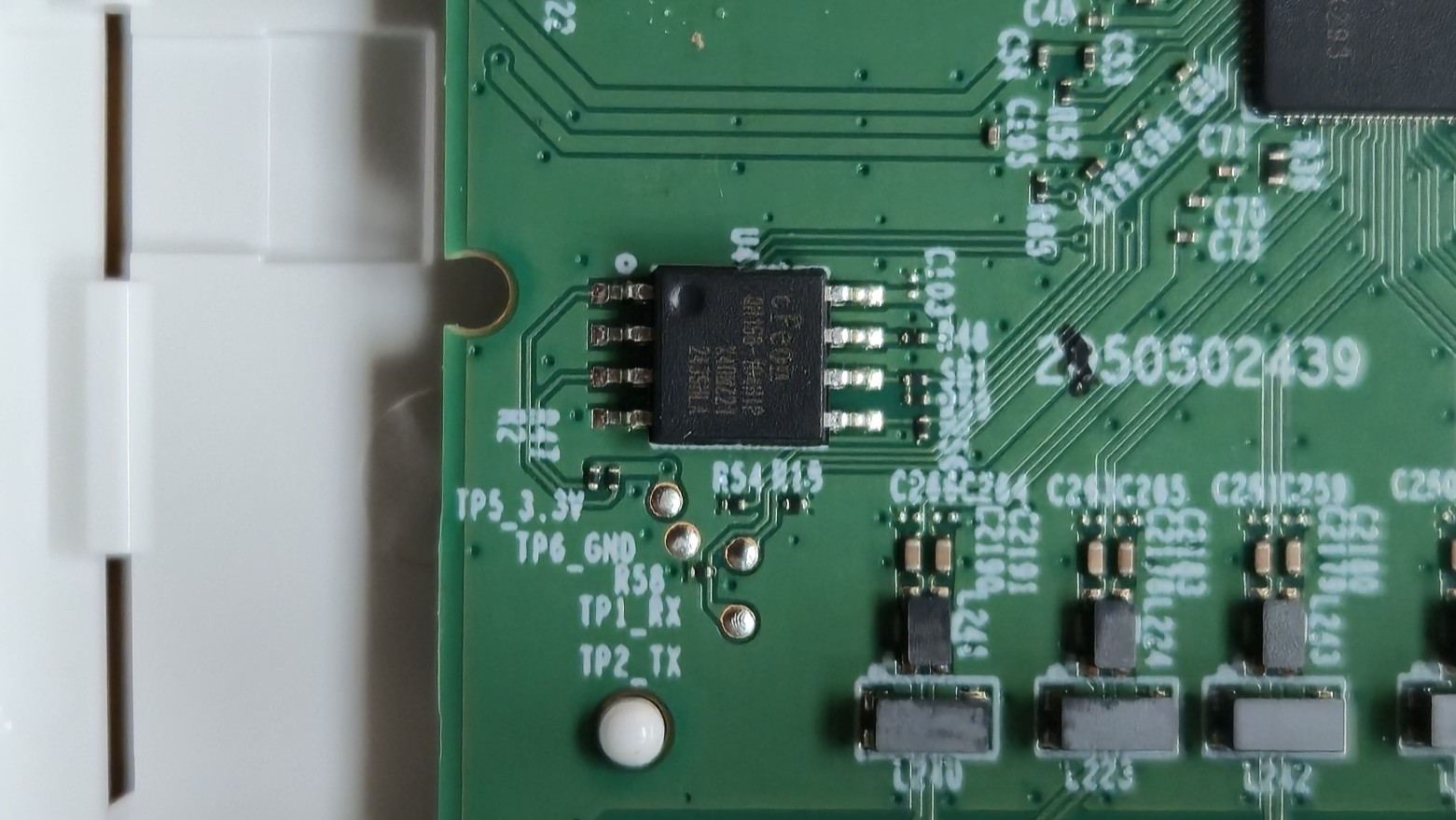
IMPORTANT!
Remember, when connecting UART you are supposed to connect RX -> TX and TX -> RX, not RX to RX and TX to TX. In most cases it won't damage any device but you can never be sure, and it simply won't work - the receive line (RX) should be listening to the transmit line (TX), as connecting identical lines together won't allow successful communication.
The first baud rate I tried was the most popular one; 115200, with the rest of the settings left at default, and it worked on the first try.
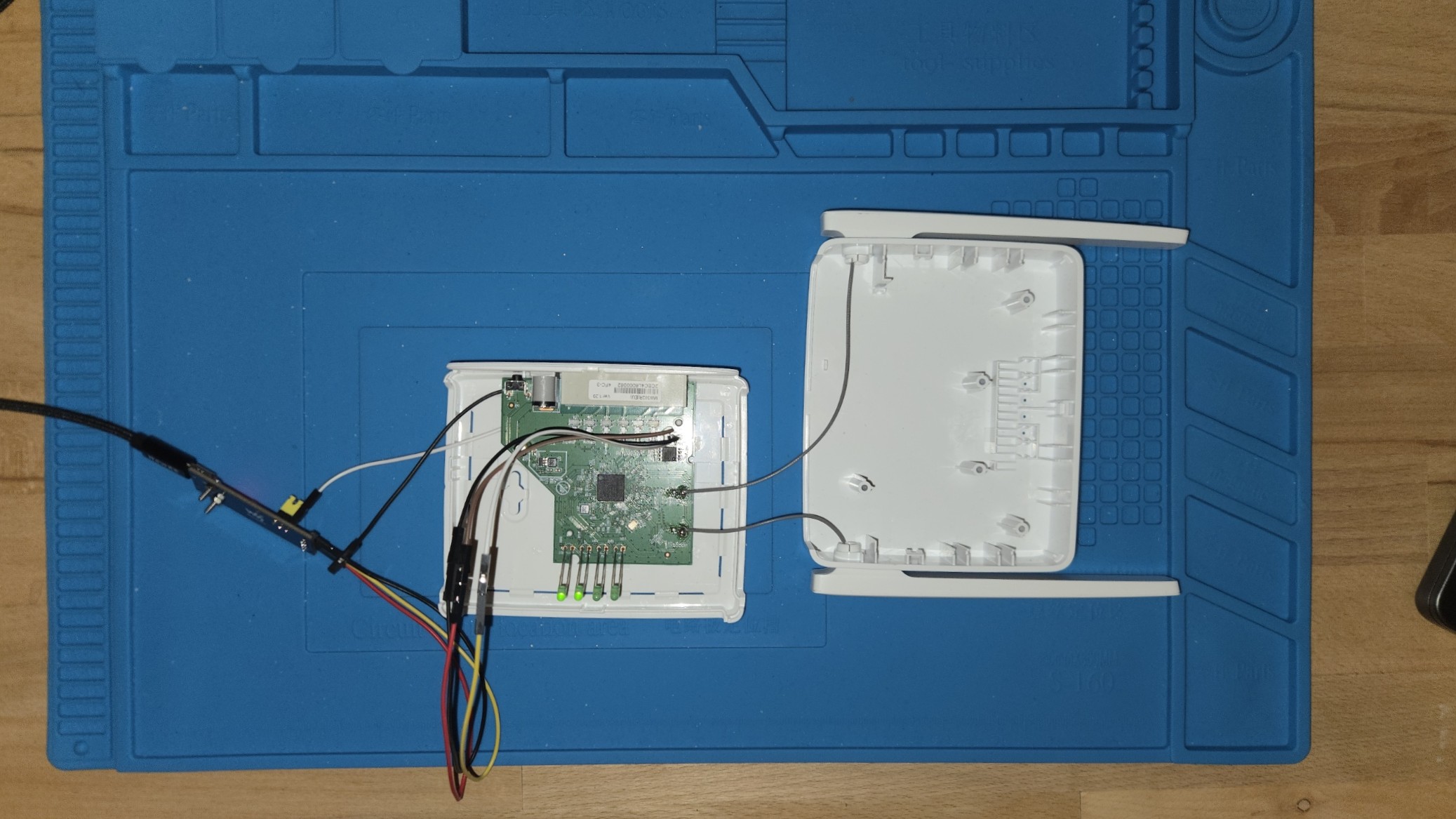
This console talks a lot during the boot process, but most of this information is useless for the regular user.
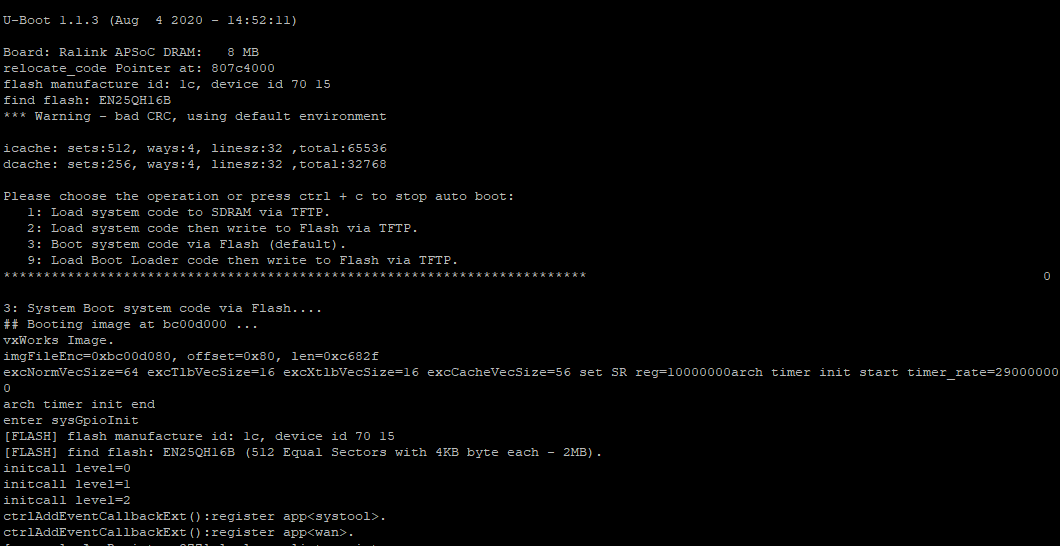
Once the boot process is complete, you can write to this console and it echoes your input with the prefix Login: #, and it keeps doing that until you send the 'root' string.
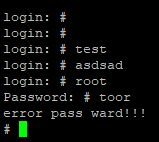
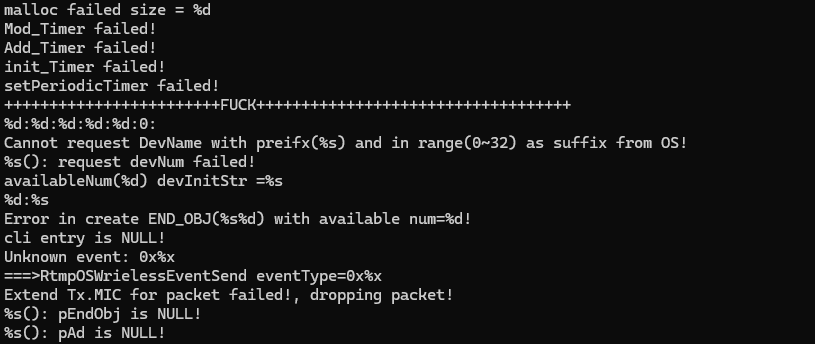
That indicates that this software is expecting login credentials, otherwise it won't respond further. However, I don't know the password yet. Sometimes informative messages appear when some settings get updated, for example turning off the LED lights.
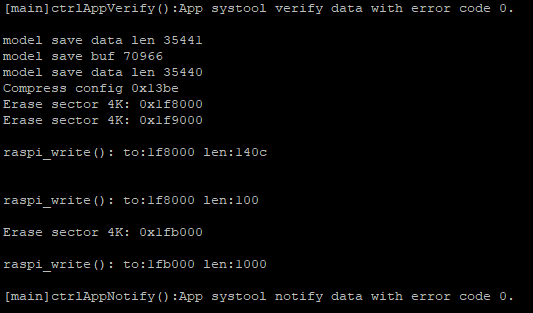
In that case I decided to extract the memory contents from the IC and see what's in there. Maybe I'd be able to grep the password directly from the strings output, or I'd find some weak encryption or a weak implementation of it.
Memory extraction
Luckily, I have a whole IC reader EZP2019+ set shown in the picture below.
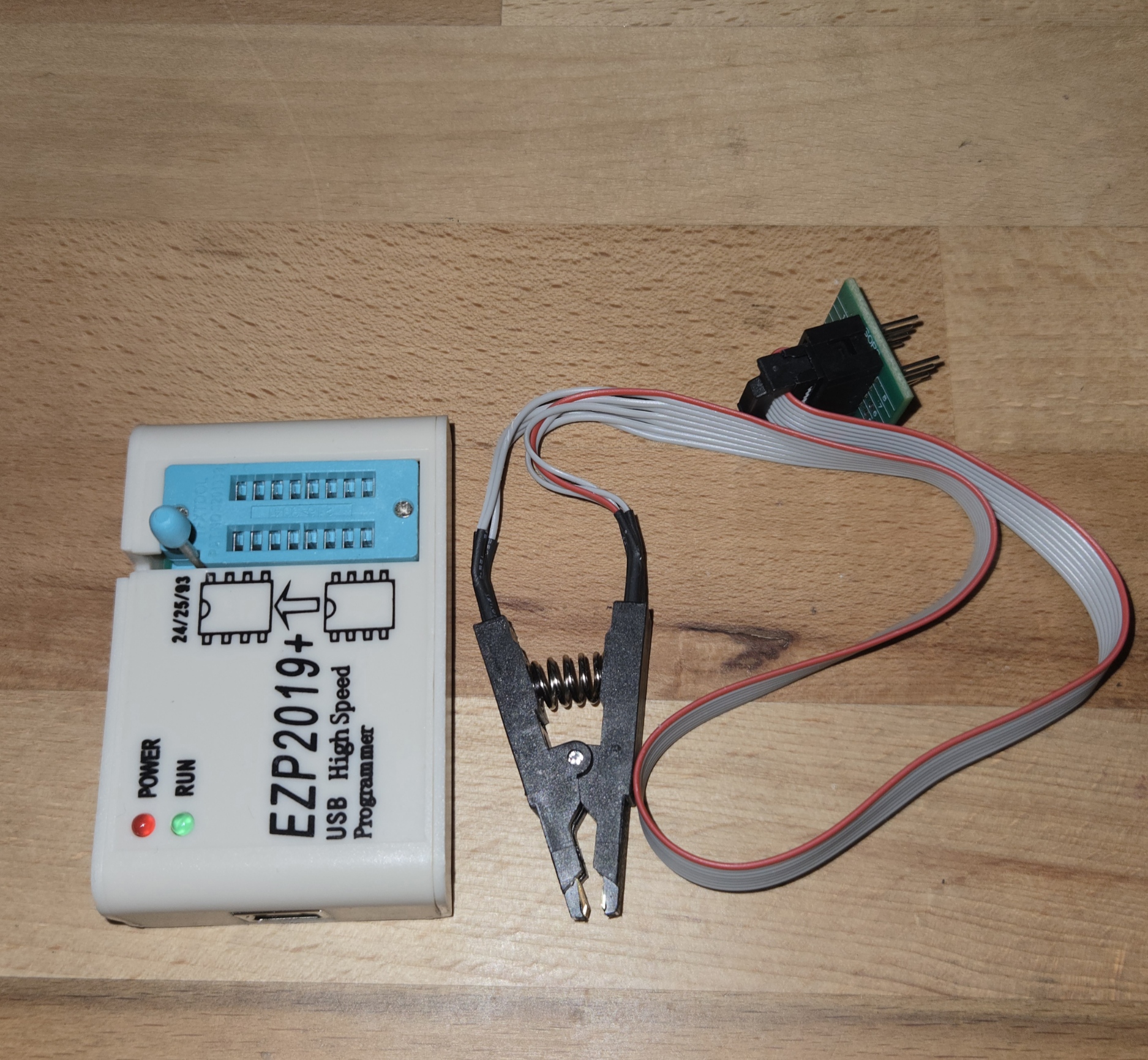
It allows me to connect directly to the device's flash memory and download its content, saved on my host PC as a .hex blob. One interesting thing is that I was trying my best to read what was written on the memory package and identify the IC and connect to it correctly so it doesn't get damaged. It was really hard without a microscope but in my opinion it was EN25QH128A according to the photo below:
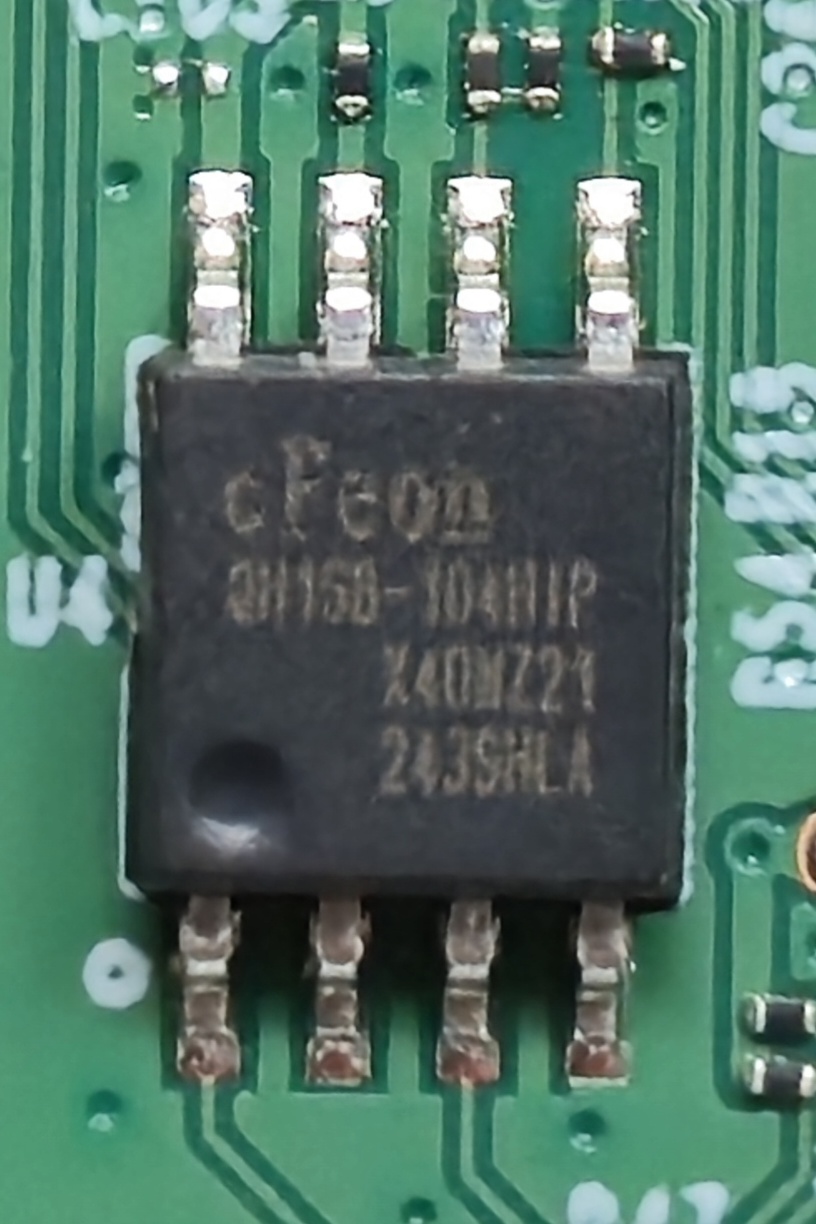
I also asked ChatGPT what it thought about this IC and it suggested EN25Q-10H. That's good as we both agreed it was EN25Q but the suffix was different. Luckily, there is auto-detection of connected memory in EZP's software and it said it's:
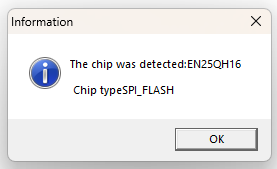
So neither of us was right. Of course, I tried to select and read each of the 3 mentioned flash models and only EN25Q-16H was read correctly. It was possible because all 3 ICs have the same pinout so I didn't worry about connecting the clips the wrong way. In this case, auto-detection wins, but this is not the end binwalk can not read this properly:
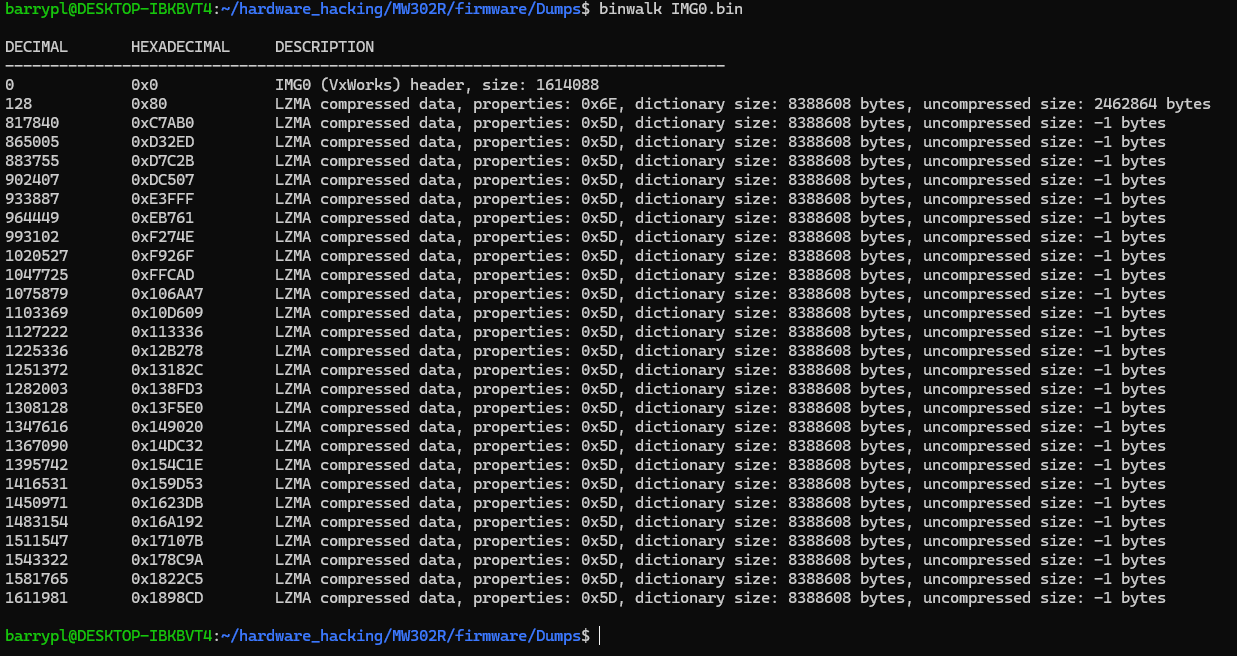
As you might see in the screenshot above, none of the files were detected correctly and I noticed that the beginning of the blob was always different across dumps but aligned later on. In this case I just extracted the memory content 3 times with the same settings and then cut exactly the same number of the starting bytes. When I calculated the SHA256 of all 3 files, all of them were the same, so I assumed there were some kind of extraction or alignment artifacts and now I have correctly extracted flash content. Here is the command I used for it:
for a in 1 2 3; do
  for b in 1 2 3; do
    if [ "$a" -lt "$b" ]; then
      for s in 1F8000 1F9000 1FB000; do
        if cmp -s "Dump_off_1_${a}_${s}.bin" "Dump_off_1_${b}_${s}.bin"; then
          echo "SECTOR $s: Dump_off_1_$a == Dump_off_1_$b"
        else
          echo "SECTOR $s: Dump_off_1_$a != Dump_off_1_$b"
        fi
      done
      echo "----"
    fi
  done
done
After all of this I was able to extract certificates and static HTML files, but that wasn't the thing I was looking for. I was especially interested in the compiled program that runs on the MT7628 chip. There was yet another miniSF filesystem within this blob, but it was compressed and/or encrypted and I wasn't able to extract its content. I guess what I was looking for was exactly there, but I never managed to get there. I also tried to search for some interesting strings but unfortunately didn't find anything. So this time, static file analysis didn't bring me anything, therefore, it was time to move on.
Back to the admin panel
Since after all of these steps I still had nothing special, I decided to go back to the admin panel and play with different parameters. Usually the device was responding correctly with an error most of the time. However there was one input behaving strangely; changing the client's displayed name assigned to its MAC address.
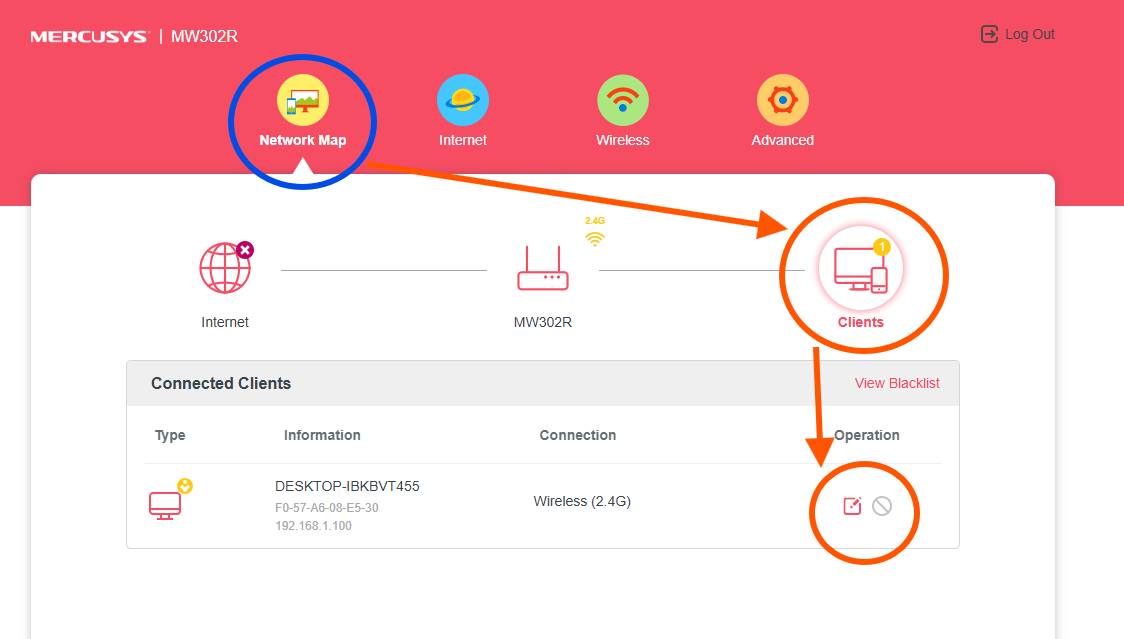
The frontend limited the client's input length to 32, but there's no issue if you just repeat the request with a different length. I started with a longer name and it worked well. My PC's name got changed and was just cut to 32 characters. Then I tried 1000 chars and it immediately returned an error 500. Same for 512 chars, but 511 returned a timeout. That was really strange. It looked like there was a check like throw an error if buf.length > 512, but the actual buffer size was 32 or similar. So what's between 32 and 512?
What's this?
Well of course I tried to send a different length messages and it ended up a timeout most of the time. Then by going to the admin panel we can see some interesting messages:
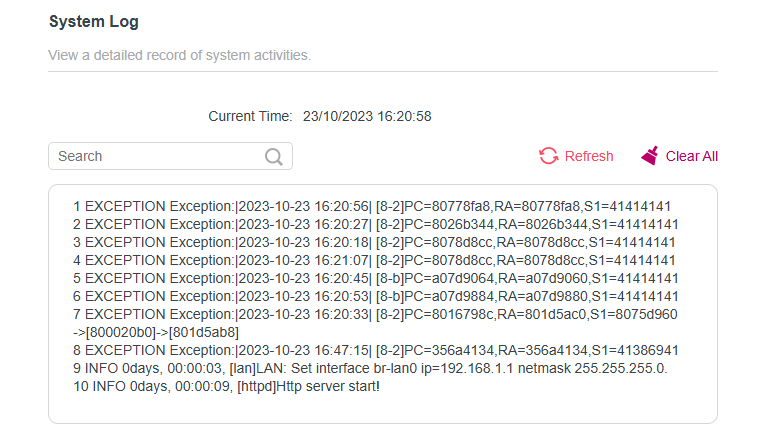
We got the exception and some strange values in there, but if you look closely there is a 0x41414141 value which is part of the "AAAA" string :) which means I had overridden some registers and I can control their values. Even more detailed logs appear in the PuTTY console. I wish I had a full debugger bridge attached to it. But since I don't have access to it, I have to try a different way. I used cyclic from pwntools and generated 511 unique bytes from a de Bruijn sequence, and sent them to the device. It crashed and restarted. I was able to detect this by the blinking LEDs and the fact that I was forced to log in again. PuTTY luckily stores the whole session so a restart doesn't matter at all it just shows all captured text so I can easily read the post-crash logs.
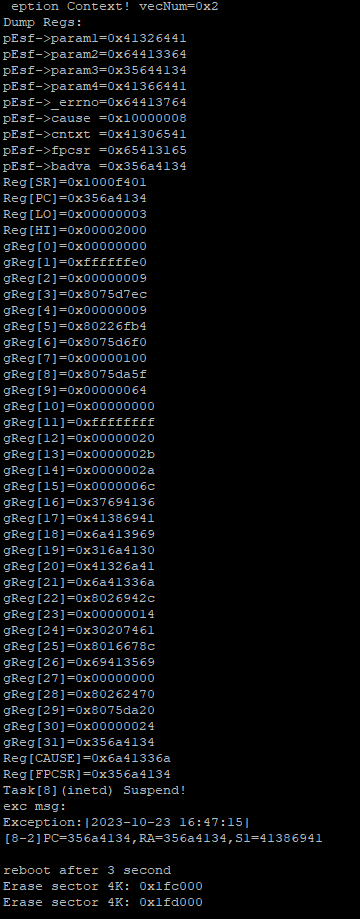
The most interesting was that PC (Program Counter) was at offset 284, and it allowed me to jump wherever I wanted. Of course I tried jumping to different locations more or less randomly and using some of the addresses I saw being logged in the console during the boot process. Most of them caused resets, but there was one address 0xA0631040 that completely froze the device it wasn't even able to reset itself. To bring it back to normal I had to reset it manually by unplugging and plugging in the power again. I wish I had been able to exploit it up to RCE, but the MIPS microcontroller architecture and the lack of a debugger was reason enough to abandon this idea.
What's next?
Well, I decided to write about it to the manufacturer and see what would happen. They responded quite fast and claimed that my submission was forwarded to the corresponding person. In the next couple of days I received the next message with a patched firmware update to test. When I confirmed that everything works well, the manufacturer assured me that they would provide an official firmware update, so I asked if I could report this as a vulnerability that qualifies as a CVE. Once it was confirmed, I started the whole CVE reporting process. It's also worth mentioning that the whole correspondence with the manufacturer was quick and straightforward I felt well informed and involved in the whole process, and it is very likely that I will perform research on other devices from this manufacturer as well.
Responsible Disclosure
- 10.01.2026 - Vulnerability discovered
- 13.01.2026 - Report sent to manufacturer
- 15.01.2026 - Manufacturer confirmed my submission
- 23.01.2026 - I received a patched beta firmware version to test
- 24.01.2026 - I confirmed the patch works well
- 03.02.2026 - Aligned CVSS with the manufacturer
- 04.02.2026 - Reported vulnerability on Mitre
09.07.2026 - CVE-2026-31267 got published

Bartosz Osuch
X
Comments (0)
Please log in to add a comment.